OKX Guides
OKX Identity Verification (KYC): What to Prepare and What to Check Before You Start
Before you start OKX identity verification, check your region, your documents and your details. This guide covers what to prepare, common mistakes, and how to protect your personal data.
Identity verification (KYC) affects what you can do on an exchange: deposits, withdrawals, limits and which products are open to you. If you cannot complete it honestly with your own documents, you should not open an exchange account.
Note: OKX's screens and requirements vary by region and change over time. This guide covers the general decisions. Follow what you see in the app and OKX's official help pages.
What KYC is for
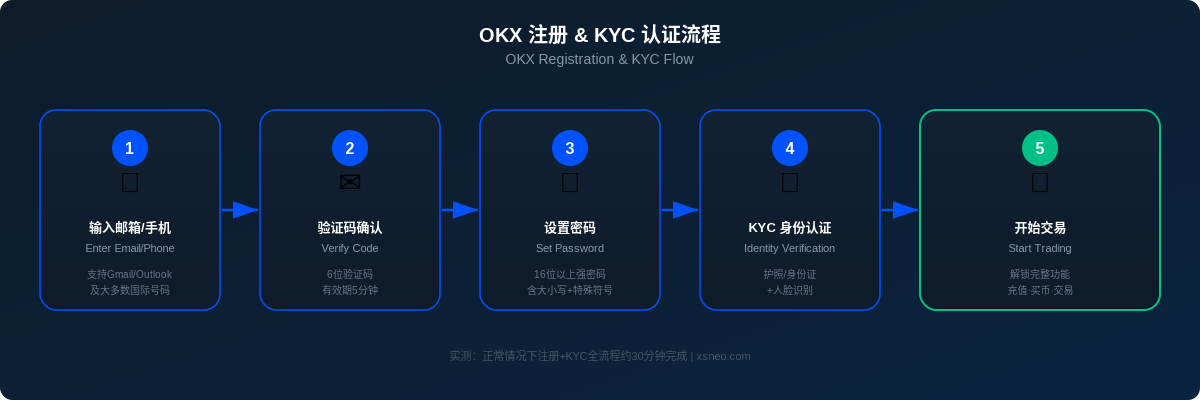
KYC stands for "know your customer". Exchanges use it to meet regulatory and risk-control requirements. Depending on your region and what you want to do, it can include your name, date of birth, country, an ID document, a face check, address information, or further checks. XSNeo cannot approve accounts or override OKX's decisions.
Check these before you start
- Your region is supported. See Is OKX available in my country? before registering.
- You meet the age requirement.
- You are using your own legal identity and a document that is valid and not expired.
- The details you enter match the document. Name spelling, date of birth and country should agree.
- You know where your data is going. Only submit it inside the official OKX app or website.
Do not borrow documents, buy accounts, use a false address or ask someone else to verify for you.
OKX's own explanation is here: OKX identity verification Help Center.
Pre-submission checklist
- All four corners of the document are visible and the text is sharp.
- No glare, no fingers over the number, nothing cropped.
- You are submitting a live capture, not a screenshot of a photo.
- Lighting is even for the face check. Take off hats and masks and follow the on-screen prompts.
- Your name format matches your document (for example, the order of given and family names).
Common reasons verification fails
Most problems fall into three groups:
- Image quality: blur, glare, cropped edges, an expired document.
- Face check: poor light, camera permissions blocked, movement not matching the prompt.
- Inconsistent information: different name formats, a country that does not match the document, or signs of a hidden location such as a VPN.
If a check fails, read the message in the app and resubmit once you have fixed the cause. For a step-by-step approach, see OKX KYC pending or failed? A troubleshooting guide. Never send your documents to anyone in a chat who offers to "speed things up".
Protect your personal data
KYC involves sensitive data. Upload documents only through the official OKX app or website. Avoid unofficial APKs, browser extensions, remote-control software and "verification agents". Never share your password, email code or authenticator code.
Does a referral code change KYC?
No. A referral code or invitation link does not remove any verification requirement. Even if you register through the XSNeo invitation code OK6667, you still need to pass OKX's identity, region and risk checks. Any benefit applies only if your account is eligible and OKX confirms it.
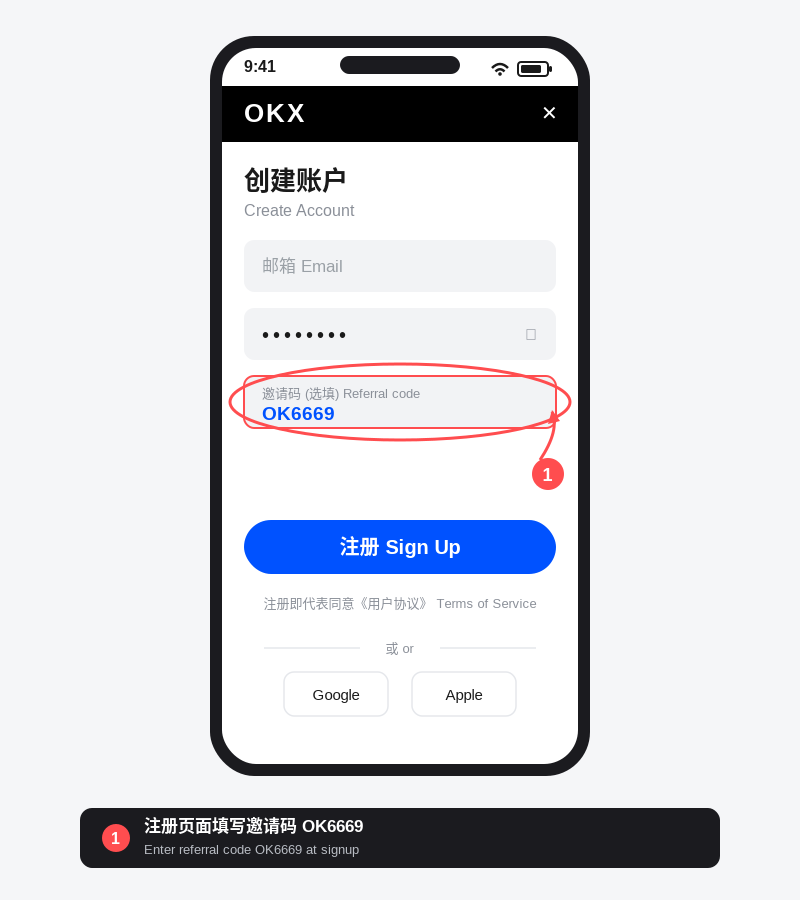
The image above is an illustration, not a screenshot of the live page.
After verification: secure the account first
Before you deposit anything:
- Turn on two-factor authentication.
- Set an anti-phishing code.
- Review your withdrawal settings, including an address allowlist.
The full steps are in the OKX account security checklist. When you are ready to fund the account, start with a small test amount. See how to buy USDT on OKX safely.
Ready to register?
If OKX is available in your region and you understand the risks, you can register here: Create your OKX account with the XSNeo invitation link (invite code OK6667).
Disclosure: XSNeo may earn a commission if you register through this link, at no extra cost to you. Rewards are subject to OKX's official terms. See our affiliate disclosure and risk disclosure.
FAQ
How long does OKX verification take?
There is no fixed time. It can be quick or take longer depending on review. If you wait a long time, check your documents against the list above and contact official support.
Which ID document should I use?
Use a valid document your region supports, as listed in the verification flow. Choose the one whose photo and details are clearest.
Can someone else verify my account for me?
No. Account buying, proxy verification and shared accounts carry high risk and can lead to restricted accounts and lost funds.
Does the referral code speed up verification?
No. It has no effect on KYC.
Bottom line
KYC is a compliance checkpoint, not a formality. Confirm your region, use your own valid documents, make the details consistent, submit only inside the official app, and secure the account before you fund it.
Digital assets are volatile and high risk. This article is educational and not financial advice.