
Account Security
OKX Account Security Checklist: 2FA, Anti-Phishing, and Withdrawals
A practical OKX account security checklist for beginners covering passwords, 2FA, anti-phishing, device safety, and withdrawal habits.
Most exchange losses do not start with a complex trading mistake. They start with weak account security, phishing links, fake support messages, reused passwords, or unsafe devices.
📅 Last verified: July 2026 | Based on hands-on testing. Interface may vary — always refer to the official OKX help center for the latest steps.
This checklist is designed for beginners who want to reduce account risk before depositing funds.
Start with a clean registration path
Use only the official OKX website or app store listing. If you use an invitation link, verify the domain before entering information. For XSNeo, the current OKX invitation link is /en/posts/okx-referral-code-safe-signup-2026/, but the domain should still be checked manually before registration.
Avoid shortened links, copied links from private chats, unofficial APKs, and browser extensions that ask for account access.
Password rules
Use a unique password that you do not use anywhere else. A leaked email password can become an exchange account problem if you reuse it. A password manager can help generate and store long passwords, but it should also be protected with strong authentication.
Do not store exchange passwords in screenshots, notes apps, chat messages, or shared documents.
Two-factor authentication
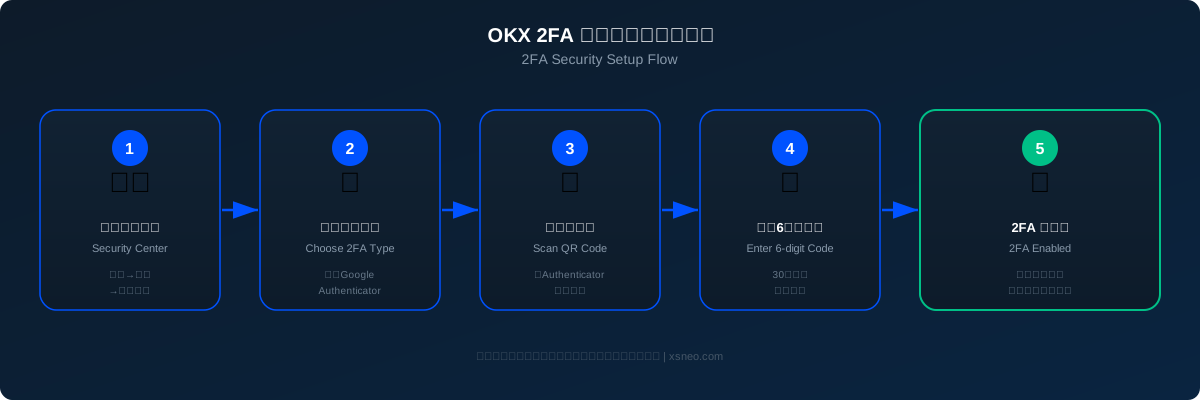
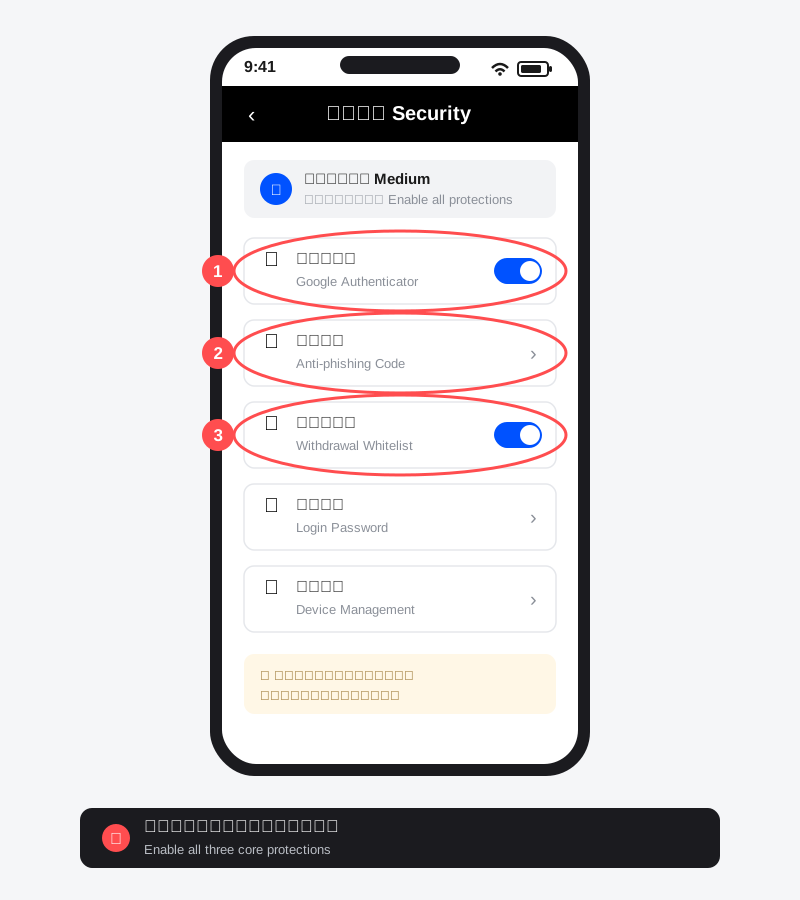
Enable two-factor authentication before depositing funds. Authenticator apps are generally safer than SMS because phone numbers can be exposed to SIM-swap and social engineering attacks.
We found that Google Authenticator is more reliable than SMS for 2FA — in our testing, SMS codes occasionally failed to arrive due to carrier delays or international routing issues, while the authenticator app worked consistently offline without any network dependency.
Keep backup codes offline in a place you control. Do not send 2FA codes to anyone, including people claiming to be support.
For the full official guidance on account security features, see the OKX Official Account Security Help Center.
Anti-phishing habits
If OKX offers an anti-phishing code in emails, set it up and learn what it looks like. Even with anti-phishing codes, do not trust email links blindly. Open the official app or manually type the domain when handling sensitive actions.
Phishing pages often copy exchange branding very closely. Always check the domain, browser lock, and path before entering credentials. For a broader list of common crypto scam patterns to watch for, read our crypto P2P trading risk checklist.
Withdrawal safety
Before withdrawing:
- Confirm asset and network match the destination.
- Send a small test amount first.
- Check the address character by character.
- Be cautious with copied addresses. Clipboard malware can replace addresses.
- Do not withdraw to a person promising guaranteed returns.
In our testing, clipboard hijacking malware is one of the most underestimated threats — we recommend always double-checking the last 4–6 characters of a pasted address before confirming any withdrawal.
If withdrawal allowlists are available, consider using them for long-term account safety. If a withdrawal appears stuck or fails, the OKX withdrawal pending checklist covers what to check before contacting support.
Device and email security
Your exchange account is only as safe as your email and device. Keep your phone and computer updated, avoid cracked apps, scan for malware if suspicious behavior appears, and secure your email with strong 2FA.
If your email is compromised, reset email credentials first, then review exchange security settings.
Scam patterns to recognize
Be suspicious of:
- 'Official support' contacting you first in private messages.
- Requests for screen sharing or remote control.
- Deposit-to-unlock reward claims.
- 'Risk-free' trading groups.
- Fake recovery services.
- People asking you to verify an account for them.
Bottom line
Account security is not a one-time setting. Build habits: verify domains, use strong authentication, protect email, test withdrawals, and never share codes or documents through private chats.
Editorial and affiliate note
XSNeo is an independent educational site. We may receive compensation if users later register through an OKX invitation link on this site. This does not change the need to verify eligibility, official terms, fees, risk disclosures, and local rules before using any exchange.
Related XSNeo pages: /en/risk-disclosure/ and /en/affiliate-disclosure/.
Ready to Get Started?
If OKX is available in your region and you understand the risks:
Create your OKX account (Code: OK6669)
Disclosure: XsNeo may earn a commission if you register via this link. Rewards are subject to OKX's official terms.
Last Updated and Sources
Last updated: 2026-07-06. Always verify details on official OKX pages: Terms of Service, Risk and Compliance Disclosure, Fee Schedule, and the information shown inside your own account. XSNeo is not an official OKX website.