Account Security
OKX Withdrawal Pending or Failed? How to Tell Which Stage It Is Stuck At
A pending withdrawal does not always mean lost funds. Work out whether it is stuck at the exchange, on the blockchain or at the receiving side, then follow the right next step.
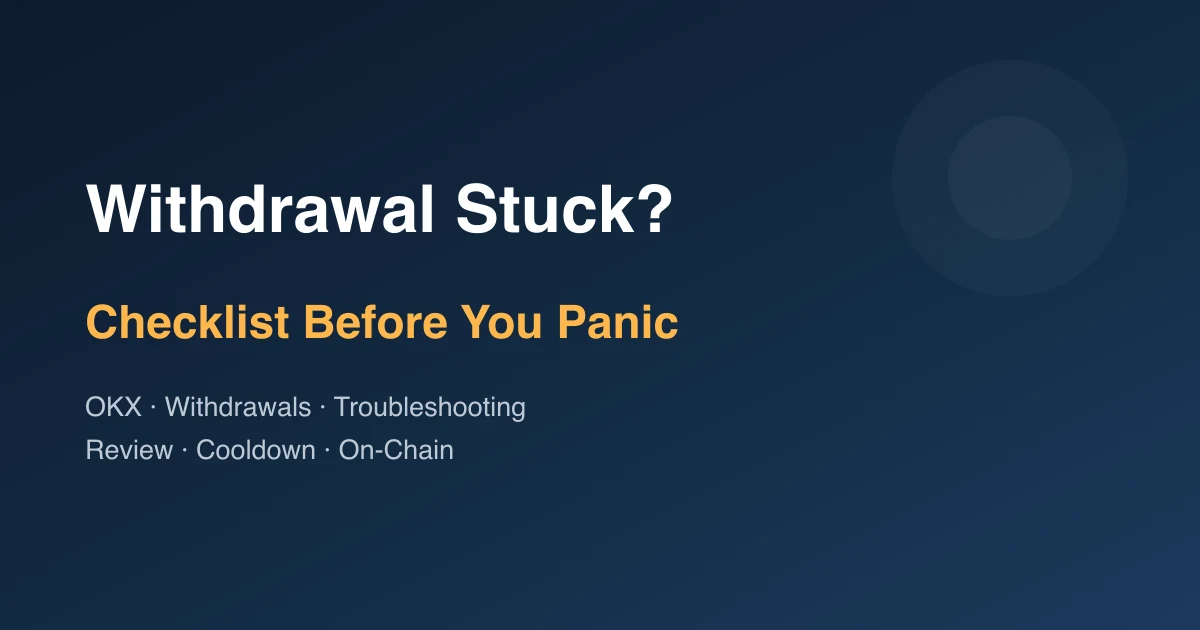
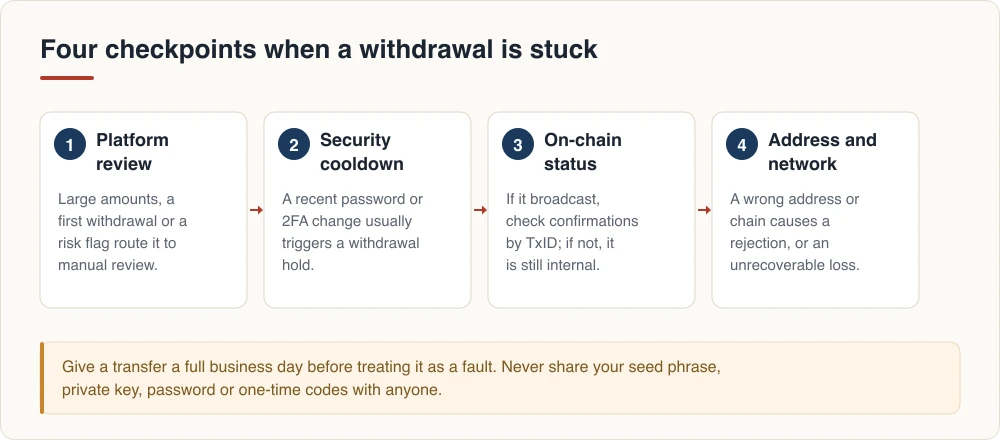
A pending withdrawal is stressful, but a delay is not the same as a loss. A withdrawal passes through three stages, and the right fix depends on which one it is stuck at.
Note: Hold periods, limits and review times differ by account, region and settings, and OKX changes them. This guide does not quote fixed durations. Use what your own account shows, and OKX's official Help Center.
First: do not trust private messages
If anyone contacts you on Telegram, WhatsApp, X, Discord or by email offering to speed up, fix or recover a withdrawal, treat it as a scam. Use support only from inside the official OKX app or website. Never share your password, 2FA codes or seed phrase, and never give anyone remote access.
Step 1: Find out which stage it is stuck at
| Stage | What it means | Clue |
|---|---|---|
| 1. Exchange | OKX is checking or has not yet sent the transaction | No TxID is shown yet |
| 2. Blockchain | The transaction is sent and waiting for confirmations | A TxID exists but confirmations are low |
| 3. Receiving side | It confirmed on-chain, but the receiver has not credited it | Explorer shows success, receiver shows nothing |
Check the status in your account: open your asset history, filter by withdrawals and find the order. Note the status shown and whether a TxID is attached. Do not rely on email alone, because emails can be delayed or filtered.
Stage 1: stuck at OKX
Common reasons a withdrawal has not been sent yet:
- Security hold. After you add a new withdrawal address, or change your 2FA, phone number, email or password, the platform may delay withdrawals for a period. The details depend on your settings. Look for a notice or countdown in the app.
- Risk review. Some withdrawals are flagged for review, for example a large amount or an unusual pattern. There is no shortcut. Wait, and watch for notifications in the app.
- Limits. Your daily limit depends on your verification level. If the amount is above your remaining limit, it can be blocked. Check the limit shown on the withdrawal page.
- Incomplete verification. If KYC is still pending, some withdrawal functions can be restricted. See OKX KYC pending or failed?
- Maintenance for that network. Check OKX's announcements.
Stage 2: sent, but waiting on the network
If a TxID exists, paste it into the block explorer for the same network you chose. Look at the status and the number of confirmations. Congestion on the network can slow confirmations, and this is outside OKX's control. Fees and speed differ between networks.
Stage 3: confirmed, but not credited
If the explorer shows success but the receiver shows nothing, the delay is on the receiving side. Check:
- Network match. The network you sent on must be one the receiving wallet or exchange supports for that asset. See the USDT network guide.
- Memo or tag. Some assets need a memo or destination tag as well as the address. If the receiving exchange requires one and it was left out, the deposit may not be credited automatically. Contact the receiving platform with the TxID.
- The receiver's own confirmation count and minimum deposit.
This is the mirror image of a missing deposit. See Crypto deposit missing on OKX for the receiving-side checks.
If it has been stuck for a long time
- Write down the details: order ID, TxID if there is one, network, destination address, amount and time.
- Check OKX's announcements for maintenance or network issues.
- Contact support through the official app or website only. Have the details above ready.
- Do not repeat the withdrawal until you know what happened to the first one.
Spotting fake support
Warning signs of a scam:
- They contacted you first.
- They ask for a password, seed phrase or verification codes.
- They ask you to connect your wallet to a website.
- They promise to unfreeze funds for a fee.
- The site looks like OKX but the address is slightly different.
Real support does not ask for your password or seed phrase. If in doubt, close the chat and go directly to okx.com. More on account safety: OKX account security checklist.
FAQ
How long should I wait before worrying?
There is no single answer. It depends on which stage it is at and on your account's holds and reviews. Check the status and the TxID first. If nothing changes after a long wait, contact support with your order details.
The status says "completed" but I have not received the funds. Why?
The transaction has left OKX. Check the TxID on an explorer, confirm the network and address, check for a memo, and contact the receiving platform.
Can I cancel a pending withdrawal?
That depends on its status. If the app shows a cancel option, you can use it. Once a transaction is on the blockchain it cannot be cancelled.
I chose the wrong network. Can I get the funds back?
It is not guaranteed. Stop sending more, save the TxID and contact both OKX support and the receiving platform.
Bottom line
When a withdrawal looks stuck, do not panic and do not repeat it. Find out whether it is held by OKX, waiting on the network or not credited by the receiver, then take the matching step.
If you do not yet have an account and OKX is available in your region, you can register here: Register with the XSNeo OKX invitation link (code OK6667). XSNeo may earn a commission at no extra cost to you. See our affiliate disclosure and risk disclosure.
Digital assets are volatile and high risk. This article is educational and is not financial advice.